It is 11 pm, and one stubborn bug is eating your sprint. You paste the error into a chatbot. It suggests a fix, written for a different version of your library. Now imagine a tool that opens your repository, reads the failing test, tries a fix, runs the tests again, and shows you the diff. That gap, between a chatbot and a tool that lives inside your project, is what this guide is about. It compares the leading AI coding tools, shows who each suits, and covers the risks nobody puts in the ad.
The Quick Answer
If you want… Look at Smooth help inside the editor you already use GitHub Copilot An editor built around AI from the ground up Cursor A terminal agent for big, multi-file changes Claude Code Background tasks that run in parallel OpenAI Codex An open-source tool you can shape yourself Cline The honest verdict There is no single best tool. Roundups disagree, and many productive developers use two or three tools, depending on the task.
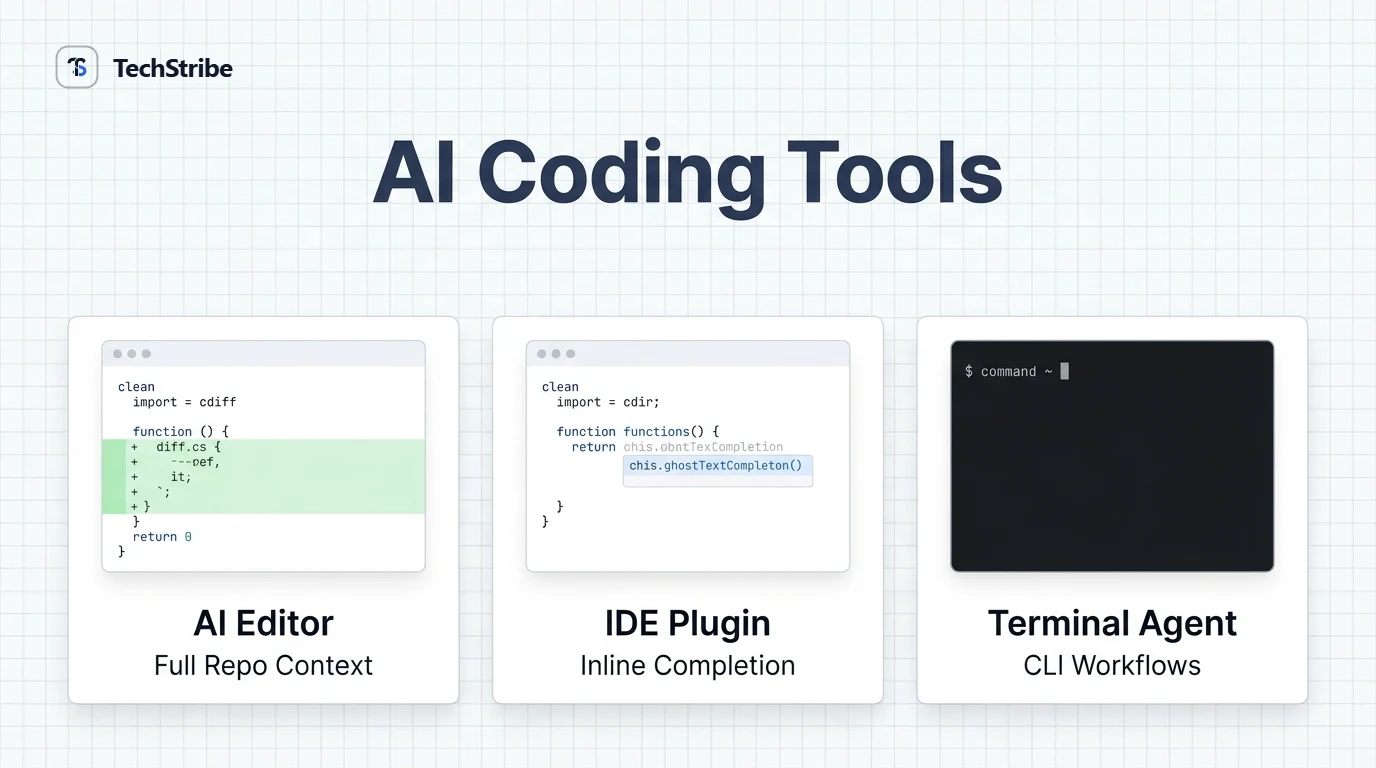
Four Types of AI Coding Tools
Type Examples Best for Watch out for Editor plugin GitHub Copilot Suggestions while you type Less control over big changes AI-native editor Cursor, Windsurf Editing across many files You may need to switch editors Terminal or cloud agent Claude Code, Codex Larger tasks with less hand-holding Higher usage and review effort App builder Lovable, Bolt, Replit Making a working app from a prompt Less control over the code App builders generate whole applications from a prompt, while coding assistants help you write code that you stay in control of. They suit different jobs, so do not mix them up.
The Tools at a Glance
Tool Type Known for Free option GitHub Copilot Plugin and agent Broad editor support, including JetBrains, and GitHub workflows Yes, per roundups Cursor AI editor Multi-file edits, agent mode, model choice Yes, per roundups Claude Code Terminal agent Deep reasoning on large codebases and refactors Needs a paid Claude plan OpenAI Codex Agent Parallel, background tasks across CLI, IDE, and cloud Check current plans Windsurf AI editor Agentic flows and a usable free tier. Some sources now list it as Devin Desktop Yes, per roundups Cline Open-source extension Flexibility to choose your own model Tool is free. Model costs may apply About prices Plans and pricing for these tools changed several times in 2026, and sources disagree. This guide avoids quoting prices. Check each vendor's pricing page before you buy.
Pick It or Skip It
Tool Pick it if… Think twice if… GitHub Copilot You use VS Code or JetBrains, or your team lives in GitHub You want the deepest AI-first editing Cursor You edit across large codebases and want fine control You prefer to keep your current editor Claude Code You like the terminal and need heavy refactors You want a graphical editor, or tight usage costs OpenAI Codex You want tasks to run in the background and in parallel You need everything to stay on your machine Windsurf You want an AI editor with a free tier to test You need stable branding and plans while its offering evolves Tool Pick it if… Think twice if… Cline You want open source and your own model choice You want a polished, all-in – one managed product
How to Choose in Five Steps
1 Where Which editor do you use? 2 Task Small edits or big refactors? 3 Team Privacy and security rules? 4 Budget Free trial or paid plan? 5 Test Try it on real work Start with your editor, since it narrows the list fastest. Then match the task, check your team's rules, and trial your top two on the same real bug or feature. Ten minutes of testing beats an hour of reading rankings. A simple one-week trial 1. Pick two tools. Choose the ones that fit your editor and budget. 2. Use the same tasks. Fix one bug and add one small feature with each. 3. Score the results. Note speed, correctness, and how much you had to fix by hand. 4. Keep the winner. Drop the other, or keep it for a different kind of task.
Best Pick by Role
You are… Start with Why A student or beginner Copilot or a free tier Low cost, works in a familiar editor A developer on large codebases Cursor or Claude Code Strong multi-file and reasoning work A software house team Copilot, plus a power tool for leads Consistency for the team, depth where needed A site owner with little coding skill An app builder or Copilot Faster path to a working page, with review A privacy-conscious team A tool that supports local models Code stays on your own machine
Mistakes to Avoid
Choosing by hype: the most talked-about tool may not fit your editor or your budget. Accepting suggestions without reading them: quick answers can hide quiet bugs. Giving the tool too much at once: huge requests produce huge, hard-to – review changes. Skipping the trial: a free week on real work tells you more than any ranking. Ignoring team rules: check your company's policy on sending code to outside services.
Using AI Coding Tools Safely
These tools save time, but they also make mistakes quickly. Review every change. Read the diff like you would a colleague's pull request. Never merge what you do not understand. Run the tests. Good tests catch bad suggestions, and many agents work better when they can run them. Protect secrets. Keep passwords, keys, and customer data out of prompts and out of the code the tool can read. Check where your code goes. Most cloud tools send code to a provider. Read the data and privacy terms, especially for client work. Watch licences and quality. Generated code can be wrong, outdated, or similar to existing code. Review it before shipping. Keep learning. If you let the tool do all the thinking, your own skills can fade.
Getting Better Results
5. Give context. Share the relevant files, the goal, and the constraints. 6. Ask for a plan first. Check the approach before any code is written. 7. Work in small steps. Small, testable changes are easier to review. 8. Write the test first. It tells the tool, and you, what "done" means. 9. Use more than one tool. A plugin for quick edits and an agent for big tasks is a common mix. F AQs: Best AI Coding Tools What is the best AI coding tool for developers? There is no single best. GitHub Copilot suits editor-based work, Cursor suits AI-first editing, and Claude Code and Codex suit larger agent tasks. Test two on your own project. What is the best free AI coding tool? Several tools offer free tiers, including GitHub Copilot, Cursor, and Windsurf, according to roundups. Cline is free as software, though the model you connect may cost money. Check current limits. Is Cursor better than GitHub Copilot? It depends on your workflow. Many roundups favour Cursor for multi-file work and Copilot for broad editor support, JetBrains, and GitHub-centred teams. Is Claude Code worth it? It can be, for multi-file work and refactors, especially if you like the terminal. Check usage limits and cost, and compare it with other agents on your own tasks. Will AI coding tools replace developers? They speed up many tasks, but they make mistakes and need human review, design decisions, and accountability. Developers who use them well gain the most. Which AI coding tool is best for beginners? GitHub Copilot, or another tool with a free tier inside a familiar editor, is a gentle start. Use it to learn, and read every suggestion before you accept it. Are AI coding tools safe for company code? It depends on the tool and its settings. Read the privacy terms, keep secrets out of prompts, and consider tools that support local models for sensitive projects.
Frequently Asked Questions
What is the best AI coding tool for developers?
There is no single best. GitHub Copilot suits editor-based work, Cursor suits AI-first editing, and Claude Code and Codex suit larger agent tasks. Test two on your own project.
What is the best free AI coding tool?
Several tools offer free tiers, including GitHub Copilot, Cursor, and Windsurf, according to roundups. Cline is free as software, though the model you connect may cost money. Check current limits.
Is Cursor better than GitHub Copilot?
It depends on your workflow. Many roundups favour Cursor for multi-file work and Copilot for broad editor support, JetBrains, and GitHub-centred teams.
Is Claude Code worth it?
It can be, for multi-file work and refactors, especially if you like the terminal. Check usage limits and cost, and compare it with other agents on your own tasks.
Will AI coding tools replace developers?
They speed up many tasks, but they make mistakes and need human review, design decisions, and accountability. Developers who use them well gain the most.
Which AI coding tool is best for beginners?
GitHub Copilot, or another tool with a free tier inside a familiar editor, is a gentle start. Use it to learn, and read every suggestion before you accept it.
Are AI coding tools safe for company code?
It depends on the tool and its settings. Read the privacy terms, keep secrets out of prompts, and consider tools that support local models for sensitive projects.