Your phone breaks. You buy a new one, sign in, and ten minutes later your photos, contacts, and messages are back. Where were they all that time? Not on the old phone. They were on someone else’s computers, in a building you will never visit.
That is cloud computing, and you have been using it for years. Yet when an engineering manager says, “Let’s move this to the cloud,” many people nod without being entirely sure what it means under the hood. This guide explains cloud computing in plain language, broken down into clear tables and actionable concepts.
The Quick Answer
Cloud computing in one sentence: Cloud computing means using computing resources—such as servers, storage, databases, and software—over the internet from a provider’s data centres, paying only for what you use, instead of buying and running your own physical hardware.
The US National Institute of Standards and Technology (NIST) defines it as a model for enabling ubiquitous, convenient, on-demand network access to a shared pool of configurable computing resources. In simple terms: the cloud is other people’s computers, shared securely among many customers.
How Cloud Computing Works
- Providers build data centres: Infrastructure giants like Amazon (AWS), Microsoft (Azure), and Google (GCP) construct warehouse-scale facilities filled with enterprise servers and high-speed storage.
- Hardware is pooled and shared: Hypervisors and virtualization software divide physical servers into isolated virtual resources so thousands of customers share the same hardware efficiently.
- You request what you need: You click in a web dashboard, or execute an API / Infrastructure-as-Code command, and your server or database appears in minutes.
- You use it over the internet: Your engineering team, mobile users, or website visitors connect securely from anywhere in the world.
- You pay for what you use: Billing mirrors utility usage—measured by runtime hours, gigabytes stored, or network transfer.
The 5 Essential Features
NIST defines five mandatory criteria that qualify a service as true “cloud computing”:
| Feature | Plain English | Everyday Example |
|---|---|---|
| On-demand self-service | You provision resources yourself automatically, with no human phone calls. | Launching an Ubuntu server in 3 clicks from a web portal. |
| Broad network access | You can access your environment from any device over standard networks. | Opening a database or file system from a laptop, tablet, or phone. |
| Resource pooling | Multiple customers securely share the provider’s physical infrastructure. | Dozens of company databases running safely on shared physical blades. |
| Rapid elasticity | You scale capacity up or down dynamically as traffic demands shift. | Adding 10 servers for Black Friday traffic, then deleting them on Monday. |
| Measured service | Resource consumption is tracked granularly and billed per unit. | Paying strictly for compute minutes or terabytes transferred. |
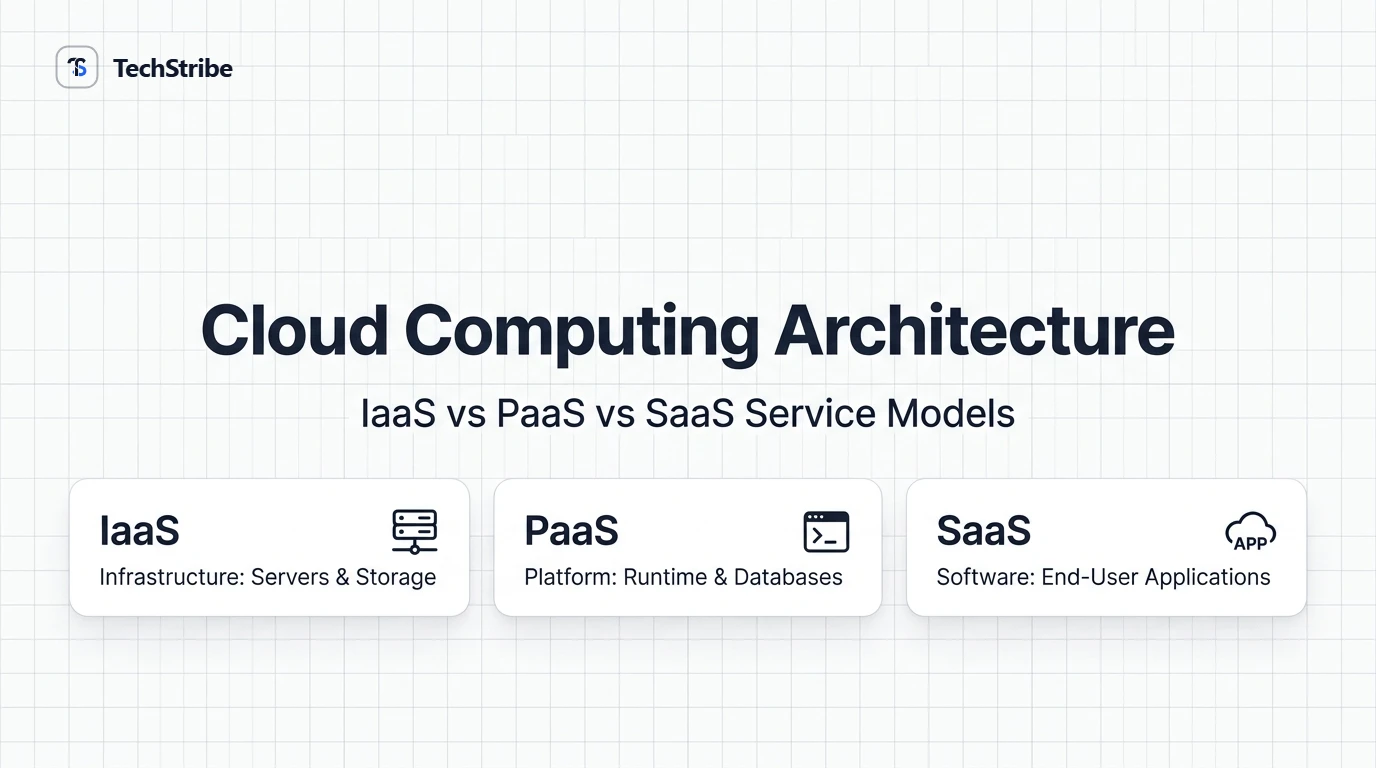
The 3 Service Models (IaaS vs PaaS vs SaaS)
Think of cloud service tiers like three ways to get a meal:
- IaaS is renting an empty commercial kitchen. You bring the ingredients and utensils.
- PaaS is a kitchen with all appliances, gas, and cookware ready to go. You bring your recipe.
- SaaS is ordering the finished meal delivered hot to your table. You just eat.
| Model | What You Get | What You Manage | Examples |
|---|---|---|---|
| IaaS (Infrastructure as a Service) | Virtual servers, raw storage, and virtual networking. | Operating system, security patches, runtime, apps, data. | AWS EC2, Google Compute Engine, DigitalOcean Droplets. |
| PaaS (Platform as a Service) | A managed runtime environment ready to execute code. | Your application source code and database data. | Heroku, Vercel, AWS Elastic Beanstalk, Render. |
| SaaS (Software as a Service) | Finished software accessible directly via browser/app. | User accounts, company settings, and data inputs. | Google Workspace, Gmail, Microsoft 365, Slack. |
The 4 Types of Cloud Deployments
| Type | Who Uses It | Best For | Watch Out For |
|---|---|---|---|
| Public cloud | Open to any subscriber, run by a hyper-scaler. | Most web apps, startups, and agile production workloads. | Unmonitored resource sprawl can drive surprise bills. |
| Private cloud | Dedicated exclusively to a single organisation. | Strict regulatory compliance, banks, defense contractors. | Substantially higher upfront capital and maintenance costs. |
| Hybrid cloud | Orchestrated mix of public and private environments. | Keeping sensitive records on-prem while bursting workloads to public cloud. | Network interconnect and identity complexity. |
| Community cloud | Shared among organisations with joint missions. | Government agencies, healthcare consortiums, universities. | Fewer vendor options and bespoke governance requirements. |
Who Is Responsible for What? (The Shared Responsibility Model)
Moving workloads to the cloud does not absolve your team of all operational duties. Cloud security operates on a Shared Responsibility Model:
| Operational Area | IaaS | PaaS | SaaS |
|---|---|---|---|
| Physical data centre & power | Provider | Provider | Provider |
| Operating system patching | You | Provider | Provider |
| Application runtime & binaries | You | You | Provider |
| Data integrity & user access | You | You | You |
Note the final row: Even on complete SaaS platforms, you remain 100% responsible for your data, user credentials, access controls, and password hygiene.
Cloud vs Your Own Servers
| Dimension | Your Own Servers (On-Prem) | Cloud Computing |
|---|---|---|
| Upfront Cost | High: upfront CapEx on server chassis, racks, and cooling. | Low: zero capital outlay; operational pay-as-you-go. |
| Setup Speed | Weeks or months: procurement, shipping, physical mounting. | Minutes: instant provisioning via web console or CLI. |
| Scaling Capacity | Must purchase additional physical hardware in advance. | Auto-scale resources up or down dynamically. |
| Maintenance | Internal staff handles dead drives, cooling, and power units. | Provider absorbs hardware maintenance and data centre upkeep. |
| Control | Complete, unrestricted physical and BIOS-level control. | Shared responsibility, abstracted away from physical silicon. |
Benefits and Risks
Key Benefits
- Lower upfront cost: Zero need to purchase enterprise hardware before validating an idea.
- Speed & agility: New staging or production environments deploy in minutes.
- Elastic scalability: Absorb holiday spikes gracefully and scale down to avoid idle capacity.
- Ubiquitous access: Distributed engineering teams collaborate from anywhere.
- Built-in fault tolerance: Automated multi-zone backups and failover mechanisms.
Key Risks
- Surprise bills: Pay-as-you-go costs compound quickly if test clusters are left running.
- Vendor lock-in: Migrating proprietary cloud architectures (e.g., AWS Lambda / DynamoDB) can prove costly.
- Network dependency: Outages in ISP routing or provider zones directly impact availability.
- Misconfiguration vulnerabilities: Publicly exposed S3 buckets and open firewalls remain leading causes of breaches.
- Data residency compliance: GDPR and HIPAA may mandate strict geographical boundaries on storage.
Frequently Asked Questions
What is cloud computing in simple terms?
Cloud computing is using servers, storage, databases, and software over the internet from a provider, and paying strictly for what you consume, rather than buying and operating your own physical server machines.
How does cloud computing work?
Providers operate massive data centres worldwide and virtualize physical silicon across many customers. You request computing resources online via dashboards or APIs, deploy applications, and get billed per unit of usage.
What are the types of cloud computing?
There are four deployment architectures: public cloud, private cloud, hybrid cloud, and community cloud. Services are also split into three functional models: IaaS, PaaS, and SaaS.
What is the difference between IaaS, PaaS, and SaaS?
IaaS supplies raw virtual hardware (servers/disks) that you configure. PaaS supplies a managed runtime platform to execute code without managing the OS. SaaS delivers fully finished software applications ready for end users.
What are examples of cloud computing?
Webmail (Gmail/Outlook), cloud storage (Google Drive/Dropbox), video streaming (Netflix on AWS), managed website hosting, and SaaS productivity suites like Google Workspace.
Is cloud computing secure?
Yes, enterprise cloud facilities are often far more physically secure than private offices. However, security is shared: providers secure the physical data centre, while you must secure your accounts, credentials, and access policies.
What is the difference between cloud computing and web hosting?
Web hosting is simply one specific application of cloud infrastructure designed to serve HTML pages. Cloud computing is the broader parent technology encompassing on-demand compute, databases, networking, and analytics.