Two developers set up local AI on the exact same weekend. One types a single command into a terminal and gets a streaming reply in seconds. The other opens a desktop app, browses models with visual cards, and clicks to start chatting. Both are thrilled with their setup.
A month later, the first developer has automated scripts querying a local background API. The second is happily testing new models and tweaking system prompts in a rich desktop window. Neither made a mistake—they simply chose different tools tailored to different workflows.
That is the real story behind Ollama vs LM Studio. Both tools run open-weight AI models locally on your PC or Mac with zero subscription costs and complete offline privacy. This guide breaks down how they compare across interfaces, developer APIs, resource efficiency, and real-world use cases so you can pick the platform that matches your workflow.
The Quick Answer: Which Platform Should You Choose?
CLI & Code
- Are comfortable with a command line or terminal.
- Want to connect local AI to scripts, VS Code, Cursor, or coding tools.
- Value 100% open-source software (MIT license).
- Plan to run models as an always-on background service or inside Docker containers.
Visual & Interactive
- Prefer a clean desktop app with buttons, sliders, and visual cards.
- Want to search, compare, and test different models side-by-side.
- Want an easy-to-use playground to adjust temperature, context, and system prompts.
- Care most about quick onboarding with zero terminal setup.
What Each Tool Is Under the Hood
Both applications are wrappers built around the high-performance llama.cpp C++ inference engine. They execute quantized GGUF model files using your CPU, GPU VRAM, or Apple Silicon unified memory without sending any data over the internet:
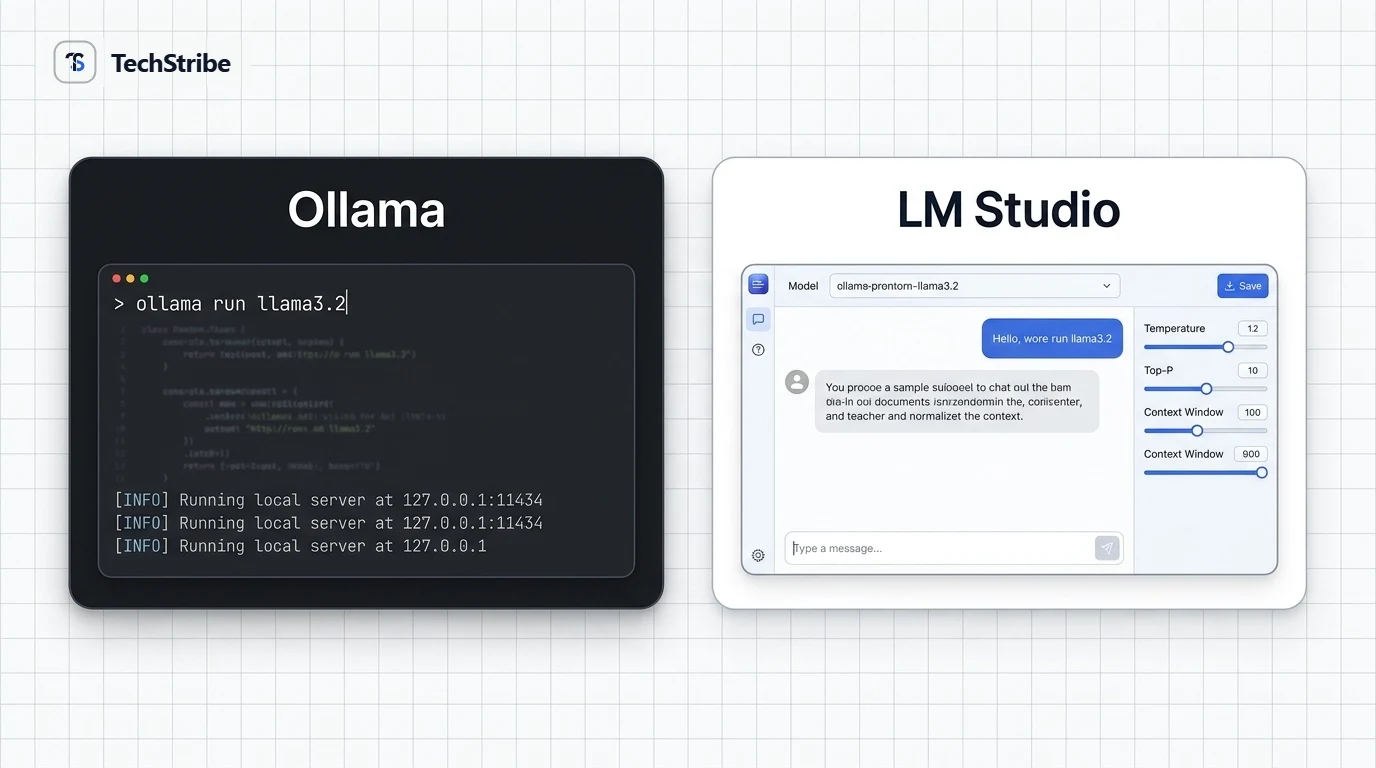
- Ollama: A lightweight CLI utility that runs as an operating system daemon in the background. You download models with simple commands like
ollama run llama3.2, and it automatically serves a local REST API endpoint on port11434. It is completely open-source under the MIT license. - LM Studio: A standalone desktop application featuring a curated model discovery store, system resource monitors, chat threads, and a developer playground. It includes an optional one-click local server on port
1234. The application frontend is proprietary and closed-source, but completely free for personal and commercial work.
Head-to-Head Feature Comparison
| Category | Ollama | LM Studio |
|---|---|---|
| Primary Interface | Command-line terminal and background daemon | Polished desktop GUI with chat window & sidebar |
| Pricing | 100% Free & Open Source | 100% Free for personal and workplace use |
| Source Code | Open Source (MIT License) | Closed source app; open-source CLI (lms) |
| Learning Curve | Low if you know terminal basics; steeper for non-technical users | Practically zero; install and click like a standard app |
| Model Discovery | Curated Ollama registry; pull models by single name tag | Direct Hugging Face search with GGUF quantization filters |
| Local API Server | Always-on background server on port 11434 |
Manual start/stop server on port 1234 (headless mode available) |
| Mac Acceleration | Full Apple Metal GPU acceleration | Apple Metal + native MLX engine support |
| Best For | Software engineering, automation, local RAG pipelines | Model evaluation, general writing, content creators |
Your First 10 Minutes: How They Work in Practice
| Workflow Step | Ollama Experience | LM Studio Experience |
|---|---|---|
| 1. Installation | Download installer and launch terminal. | Download installer and launch desktop app. |
| 2. Finding a Model | Check ollama.com/library in your browser for model tags. | Search directly within the app’s Discover tab. |
| 3. Downloading | Run ollama run <model> with progress bar in terminal. |
Click the Download button with visual progress indicators. |
| 4. Chatting | Interactive text session directly inside PowerShell / Terminal. | Rich chat interface with markdown formatting and copy buttons. |
Where They Differ Most
1. Ease of Use vs. Terminal Efficiency
LM Studio is the undisputed winner for users who want to avoid the command line. You can browse quantization levels (Q4, Q5, Q8), check whether a model fits in your specific VRAM, and tweak generation parameters (temperature, top-p, repeat penalty) with visual sliders.
Ollama, on the other hand, is built for raw speed and terminal efficiency. Once installed, typing ollama run mistral immediately pulls, loads, and starts the model without opening any browser or graphical window.
2. Developer Integration and Automation
Ollama shines when building applications. Because it runs as an always-on background daemon, any script, cron job, or local application can immediately send JSON payloads to http://localhost:11434/api/generate. It has native official libraries for Python and JavaScript, and works out-of-the-box with Docker, LangChain, and LlamaIndex.
LM Studio provides a full OpenAI-compatible API server on port 1234 with CORS support and log viewers, making it easy to point tools like Cursor or Continue at it. However, by default, the server only runs while the LM Studio desktop window remains open (unless using their CLI headless server).
3. Openness, Auditing, and Corporate Policies
For engineering teams with strict corporate compliance guidelines, Ollama’s MIT license provides complete transparency. You can inspect the source code, fork the repository, and host it within private corporate virtual networks.
LM Studio is proprietary. While the developers have kept the app free to use without login or telemetry mandates, organizations that require fully auditable open-source software will lean toward Ollama.
Subtle details that surprise new users:
- Context Window Defaults: Ollama historically defaults to a conservative 2,048 token context window in basic chats to prevent out-of-memory crashes on entry-level PCs. If you need longer conversations, remember to specify
num_ctx: 8192in your Modelfile or API call. - Duplicate Disk Usage: Ollama and LM Studio store their model weights in separate directories. If you download Llama 3.1 8B in both tools, you will use ~10 GB of SSD space instead of ~5 GB.
- Inference Speed: Both tools use llama.cpp, so raw token generation speeds on the same GPU and quantization level are virtually identical.
Which One Fits You?
| Your Profile | Try First | Why |
|---|---|---|
| AI Student / Beginner | LM Studio | Fast visual feedback, easy model switching, zero terminal friction. |
| Software Engineer / Dev | Ollama | Always-on daemon, scriptable CLI, native Docker & LangChain support. |
| Writer / Content Creator | LM Studio | Clean conversational chat interface with markdown formatting and history. |
| Apple Silicon Mac User | Both (Tied) | Ollama provides seamless Metal support; LM Studio also offers an Apple MLX engine. |
| Enterprise Team | Ollama | Fully open-source under MIT, easy to audit and deploy across servers. |
Common Mistakes to Avoid
- Confusing the Tool License with the Model License: Both Ollama and LM Studio are free to download, but individual model weights have their own terms (e.g., Llama 3 community license vs. Apache 2.0). Check model licensing before using outputs commercially.
- Selecting an Overly Large Model: Running a model that overflows your available VRAM into system memory causes extreme slowdowns. Start with a 3B or 8B model first.
- Exposing Local Ports to the Public Internet: Keep port 11434 and port 1234 bound to
localhostunless you have established encrypted VPN tunnels or reverse proxies with authentication.
Frequently Asked Questions
Is Ollama or LM Studio faster?
Under identical settings (same model, quantization, and GPU offload layers), their generation speeds are virtually identical because both rely on the llama.cpp engine. On Apple Silicon Macs, LM Studio’s experimental MLX engine may offer slightly higher throughput for specific architectures.
Can I run Ollama and LM Studio together on the same computer?
Yes. They use different default ports (Ollama on 11434 and LM Studio on 1234) and operate independently without conflict. Just ensure you are not running resource-heavy inferences on both simultaneously to prevent memory exhaustion.
Is LM Studio open source?
The LM Studio desktop GUI application is closed-source and proprietary, though free for both personal and commercial use. However, its companion command-line utility (lms) and underlying inference libraries are open-source.
Which platform is better for building custom applications?
Ollama is widely considered the industry standard for developer applications due to its lightweight background service architecture, Modelfile customization system, and extensive ecosystem integration.