Friday, 4 pm. You assign a ticket: “Add rate limiting to the login endpoint.” Then you go to a meeting. When you come back, a pull request is waiting. It has code, tests, and a short summary of what changed. Do you merge it? That question, “Do I trust this?”, is the real subject of this guide. AI coding agents are powerful, and they are also fast at making confident mistakes. You will see how they work, which types exist, who the leading options are, and how to keep control.
The Quick Answer
An AI coding agent in one sentence An AI coding agent takes a coding task, then plans, edits files, runs commands and tests, and repeats until the job is done or it needs your help. If you want… Look at An agent you steer from your terminal Terminal agents, such as Claude Code or Codex An agent inside your editor IDE agents, such as Cursor or Copilot agent mode Tasks that finish while you do other work Cloud and background agents, such as Copilot’s cloud agent Open source and your own model choice Cline No single agent wins everywhere. Published roundups disagree, so test two on your own project.
Coding Agent vs Coding Assistant
Coding assistant Coding agent Main job Suggests code as you work Completes a task on its own Where it runs In your editor, next to the cursor Terminal, editor, cloud machine, or GitHub Steps One suggestion at a time Many steps in a loop Can run commands Rarely Yes, with your approval or inside a sandbox Output Inline suggestions Changes, a branch, or a pull request The line is blurry, since many tools now offer both. Ask a simple question: does it only suggest, or does it act?
How a Coding Agent Works
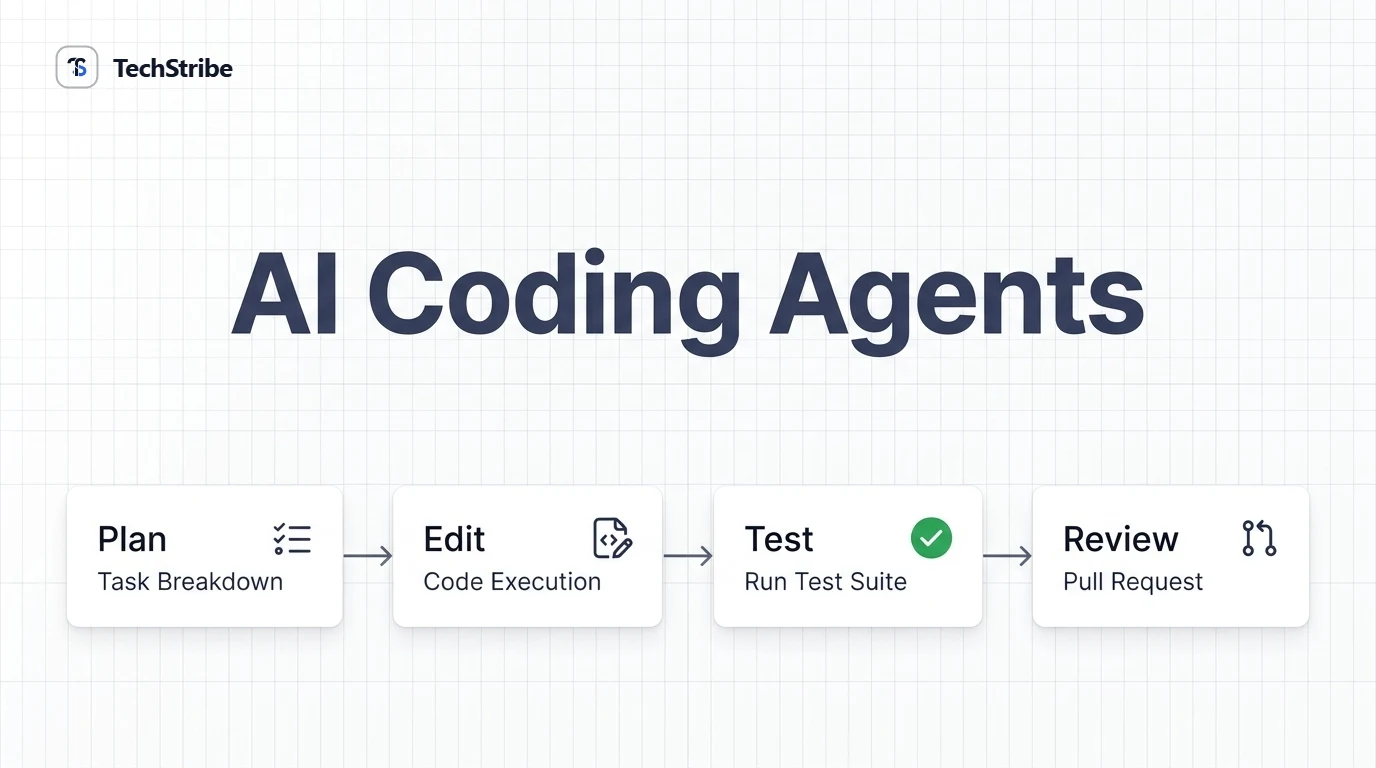
Under the hood, most agents share the same recipe. Anthropic describes agents as, in essence, AI models using tools and responding to feedback in a loop. Part What it does Model Reads the task and decides what to do next Tools Read files, edit files, run shell commands, search Memory Keeps track of the task, the code, and earlier steps Harness The program that runs the loop and can ask you to approve an action Sandbox A safe space that limits what the agent can touch 1 Task You describe the goal 2 Plan It decides the steps 3 Edit and run It changes code and runs commands 4 Check It reads test results 5 Hand back A diff or pull request for you The check step is what makes agents useful. When the agent can run tests and see them fail, it can fix its own mistakes before you ever see them.
Four Types of Coding Agents
Type Where it runs How you work with it Best for IDE agent Inside your editor Watch and steer as it works Everyday feature work Terminal agent In your command line, in your project folder Give a task, approve commands Multi-file changes, refactors Pull request agent Triggered by a pull request Works on its own, comments on the PR Code review and fixes Cloud or background agent A remote sandbox Hand over a task, return later to a pull request Well-scoped tasks while you do other work Cloud and background agents offer the most autonomy. They also leave the least room to catch a mistake mid-way, so your first checkpoint is usually the pull request.
The Leading Agents at a Glance
Agent Type Worth knowing Good for Claude Code Terminal Runs in the terminal, with a desktop app too Large codebases, refactors OpenAI Codex Terminal, IDE, cloud Spans a command line tool, editor extension, and cloud delegation Parallel and background tasks GitHub Copilot IDE and cloud Agent mode in the editor, and a cloud agent that takes GitHub issues and opens pull requests GitHub-centred teams Cursor IDE, terminal, cloud Editor agent, a command line tool, cloud agents, and pull request review Editor-first developers Cline IDE extension Open source, with your choice of model Flexibility and control Mistral Vibe Terminal and cloud The same agent runs locally or in a cloud sandbox that returns a draft pull request Teams exploring open options A note on this list This market changes monthly. Product names, features, and pricing move often, so this guide avoids quoting prices and rankings. Check each tool’s official page for current details.
What Agents Do Well, and Badly
Usually a good fit Usually a poor fit Fixing a bug that has a failing test Vague requests with no clear goal Writing tests for existing code Big architecture decisions Routine refactors and migrations Security-critical code with no review Boilerplate and repetitive changes Unfamiliar or niche tech stacks Small, well-scoped tasks Huge tasks that touch everything at once The pattern is simple: the clearer the goal and the easier it is to check the result, the better an agent performs.
Safety and Guardrails
Agents act with your permissions. VS Code’s security guidance warns that an agent running commands can do what you can do, including installing software or changing configuration. That calls for guardrails. Risk Guardrail The agent runs a harmful command Require approval for terminal commands, and use a sandbox where available A bad change slips into the code Review every diff, and run the tests before merging The agent pushes straight to production Never let it push to the main branch. Use pull requests It reads secrets or private data Keep keys out of the repo, and give it only the access it needs Cloud agents see your repository Check the provider’s privacy terms, especially for client code The golden rule Treat an agent like a fast, eager junior developer. Give it clear tasks, limit its access, and review its work before it ships.
How to Give an Agent a Good Task
1. State the goal. “Add rate limiting to the login endpoint.” 2. Share the context. Point it to the relevant files and conventions. 3. Set constraints. Say which libraries to use or avoid. 4. Define done. Name the test or behaviour that proves it works. 5. Set boundaries. List what it must not touch. Smaller, well-scoped tasks finish faster and give more reliable results than one giant request.
Related Reading & Deeper Context
- MCP vs traditional APIs — when developer apps need REST APIs versus dynamic MCP tool discovery.
Frequently Asked Questions
What is an AI coding agent?
An AI coding agent is a tool that takes a coding task, then plans, edits files, runs commands and tests, and repeats until the job is done or it needs your help.
What is the difference between a coding agent and a coding assistant?
An assistant suggests code while you work. An agent acts on a task: it edits files, runs commands, checks results, and returns changes or a pull request.
What are the best AI coding agents?
Popular options include Claude Code, OpenAI Codex, GitHub Copilot’s agents, Cursor, and Cline. The best choice depends on your editor, task, and team. Test two on real work.
What is a background coding agent?
It works on a task without you watching, often in a cloud sandbox, and returns a branch or pull request when it finishes. Also called an asynchronous or cloud agent.
Are AI coding agents safe?
They can be, with guardrails. Require approval for commands, use sandboxes, protect secrets, avoid pushing to main, and review every pull request before merging.
Will AI coding agents replace developers?
They handle well-scoped tasks faster, but they still make mistakes and need human review, judgement, and accountability. Developers who direct them well gain the most.
Is Claude Code or Codex better?
It depends on your workflow. Claude Code is terminal-first and strong on large codebases, while Codex spans several surfaces and suits parallel background work. Compare both on your own tasks.