A browser with twenty tabs open. A team chat client. A code editor compiling in the background. A couple of Docker containers running database services. And now you decide to run a local AI model for private code completion. Suddenly, your system memory gauge spikes to 98%, your laptop fans roar like jet turbines, and your mouse cursor begins to hitch. Sound familiar?
Buying memory is a continuous balancing act. If you configure too little RAM, your machine stutters under everyday multitasking for years. If you buy excessive amounts of specialized memory you never touch, you waste hundreds of dollars that could have funded a faster processor or larger storage drive. This guide outlines exact RAM targets for everyday software, creative workflows, software engineering, and local AI workloads.
The Quick Answer
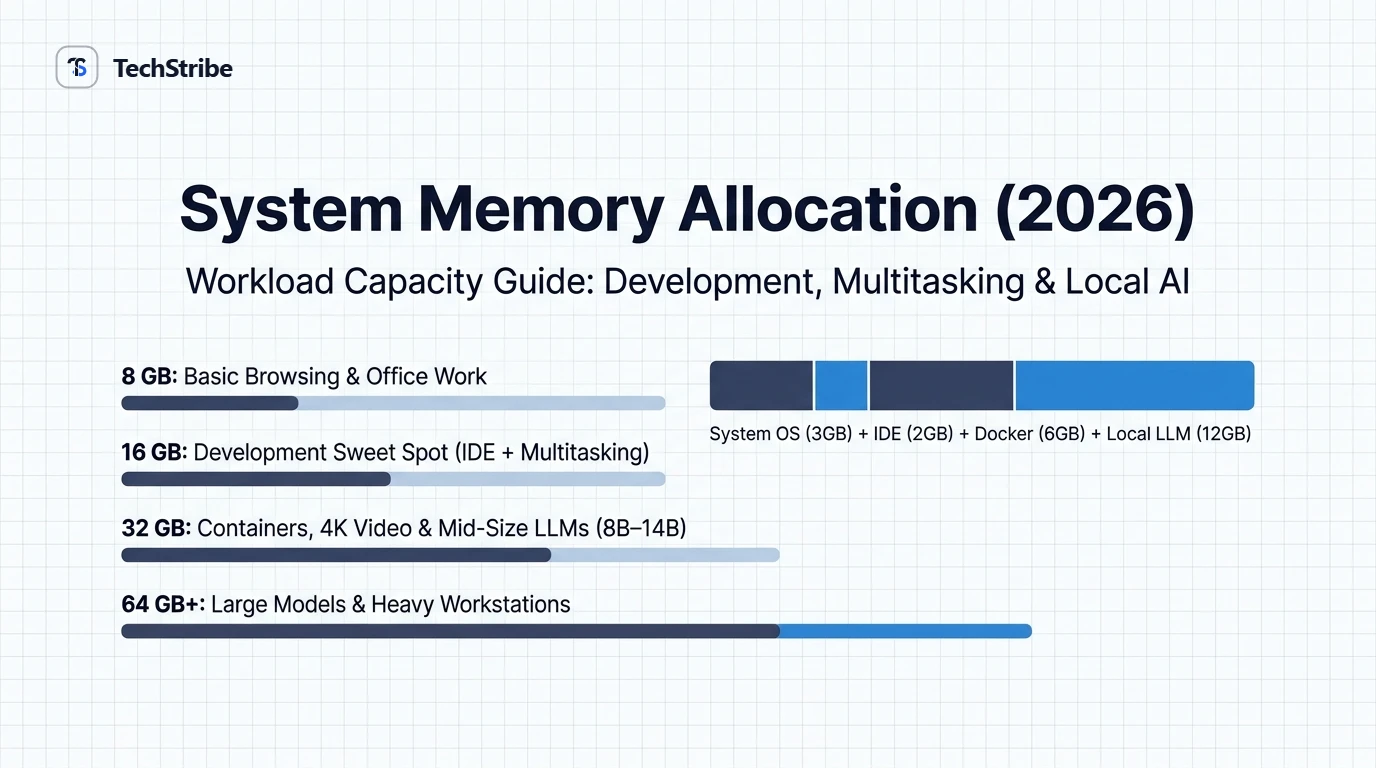
Baseline recommendation: For the vast majority of professionals and students today, 16 GB of RAM represents the comfortable modern baseline. Upgrade to 32 GB if you manage virtual machines, compile large software codebases, edit 4K media, or run quantized local LLMs (8B–14B parameters). Only invest in 64 GB or more if you are training neural models or executing specialized scientific simulations.
RAM Target Summary by User Tier
| Capacity | Suitability Tier | Ideal Workloads & Limits |
|---|---|---|
| 8 GB | Basic Entry-Level | General web browsing, basic office documents, email, and media streaming. Struggles under heavy multitasking or developer tools. |
| 16 GB | The Sweet Spot | The default standard for modern laptops. Seamless multitasking, web development, light creative editing, and small local AI models. |
| 32 GB | Power Users & Developers | Docker stacks, multiple IDEs, 4K timeline rendering, and running 14B to 32B quantized AI models locally without swapping. |
| 64 GB+ | Workstations & AI Engineers | Running dense 70B parameter models, massive multi-container infrastructure, heavy 3D rendering, and enterprise virtual machines. |
What RAM Actually Does: Desk vs. Filing Cabinet
To understand memory requirements, consider this simple physical metaphor:
- RAM is your desk: It holds the active books, blueprints, and calculators you are using right this second. A larger desk lets you spread out more tasks at once without clutter.
- Storage (SSD) is your filing cabinet: It holds files you aren’t working on right now. While modern NVMe SSDs are fast, retrieving a file from a cabinet is still hundreds of times slower than glancing at papers already sitting on your desk.
- When RAM fills up (Swapping): When your applications exceed available physical RAM, your operating system begins swapping data to the drive pagefile. This causes noticeable hitching, delayed clicks, and high disk activity.
RAM Requirements by Specific Workflow
| Use Case | Minimum RAM | Recommended RAM | Technical Context |
|---|---|---|---|
| Web Browsing & Documents | 8 GB | 16 GB | Modern web apps and browser tabs consume significant memory per tab. |
| Software Engineering | 16 GB | 32 GB | IDEs (VS Code, JetBrains), language servers, test runners, and background daemons. |
| Docker & Microservices | 16 GB | 32 GB | Docker Desktop requires 4GB alone; running databases and microservices consumes the rest. |
| 4K Video Editing | 16 GB | 32 GB – 64 GB | Adobe Premiere and DaVinci Resolve load multi-layer video tracks directly into RAM buffers. |
| Local AI: Small Models (3B–8B) | 8 GB | 16 GB | Models like Llama 3 8B (Q4 quant) require ~5GB of RAM plus context window buffers. |
| Local AI: Mid Models (14B–32B) | 16 GB | 32 GB | Weights require 10GB–20GB; requires dedicated VRAM or 32GB system unified memory. |
RAM vs. VRAM: Why Dedicated Graphics Memory Matters
For artificial intelligence and high-end creative work, system RAM is only half the equation:
- System RAM: Shared by your processor (CPU) to execute the operating system and standard applications. Bandwidth typically ranges between 50 GB/s and 100 GB/s on desktop DDR5.
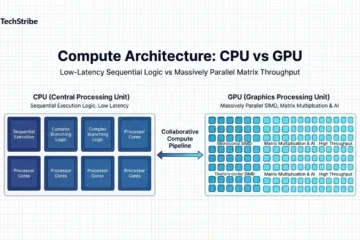
- Dedicated VRAM: High-bandwidth memory built directly onto dedicated graphics cards (NVIDIA RTX series). High-end GPUs provide between 500 GB/s and 1,800 GB/s of bandwidth, executing matrix mathematics up to 20x faster than system memory.
- Apple Silicon Unified Memory: Apple’s M-series architecture allows CPU and GPU to share a single high-bandwidth memory pool (up to 512GB on M5 Ultra). While slightly slower per token than dedicated GPU VRAM, it allows massive 70B+ models to fit completely in memory without out-of-memory crashes.
Frequently Asked Questions
Is 8 GB of RAM still sufficient?
Only for lightweight tasks like document editing and casual web browsing. Modern operating systems and browser engines consume 4GB to 5GB idling, leaving minimal headroom for heavy workflows.
Does adding more RAM make a computer faster?
Only if your system was running out of memory. If your workloads consume 12GB on a 16GB system, upgrading to 32GB will not improve single-task performance. However, if your system was swapping to disk, adding RAM immediately eliminates stuttering.
How much RAM do Copilot+ AI laptops require?
Microsoft requires a minimum of 16 GB of RAM alongside an integrated Neural Processing Unit (NPU) for official Copilot+ PC certification.
Can I upgrade RAM later on modern laptops?
Many ultra-thin laptops and all Apple Silicon devices feature soldered, non-upgradable memory. You must select the capacity you will need for the entire lifespan of the device at purchase time.