1 am. Fourteen browser tabs, six PDFs, and a deadline in the morning. You paste a half-remembered idea into a chatbot, and it hands back a perfect reference: author, year, journal, even page numbers. There is only one problem: the paper does not exist.
AI can speed up research enormously. It can also invent a source with total confidence. This guide lists 10 tools worth knowing, shows which stage of research each one helps with, and gives you a simple way to use them without getting caught out.
The Quick Answer
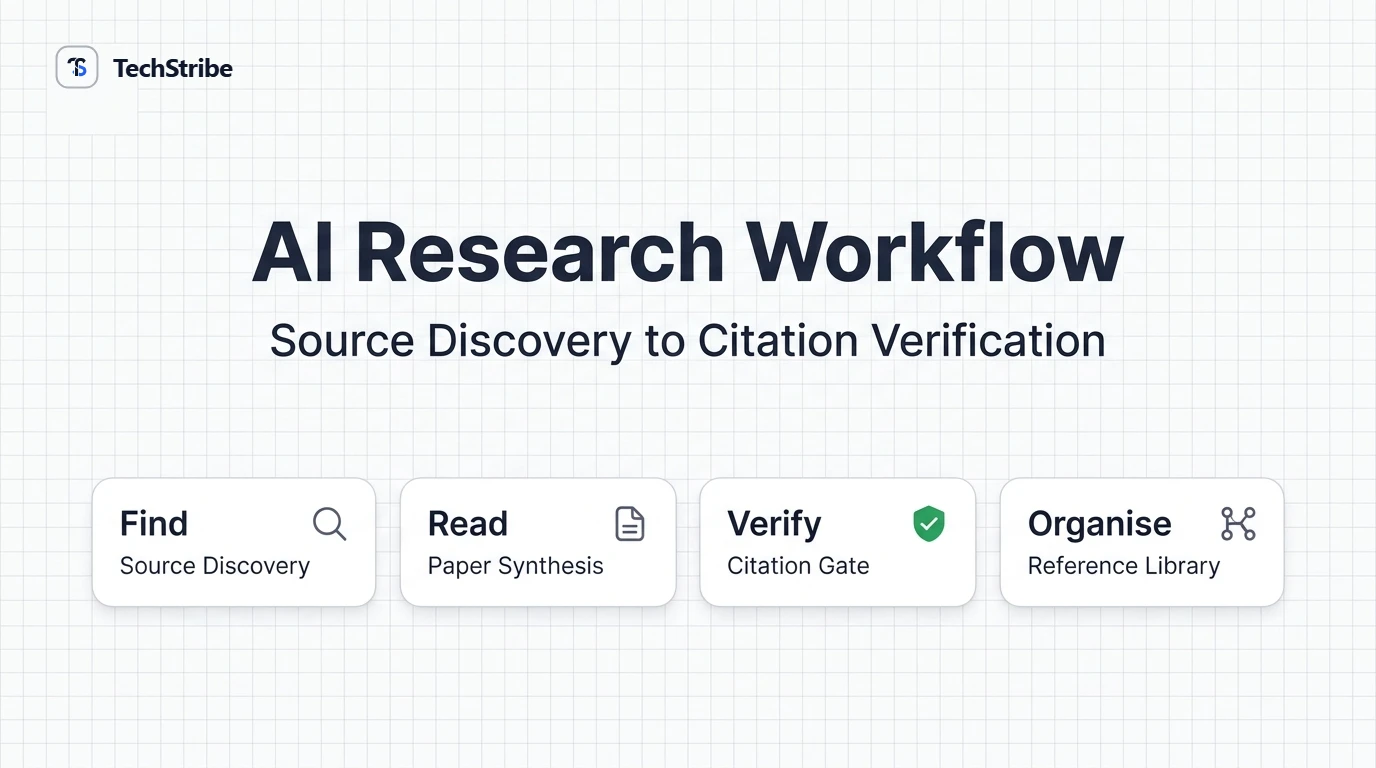
No single tool covers research from start to finish. Think in stages, and pick one tool for each:
- Find: Discover sources
- Read: Understand them
- Check: Verify claims
- Organise: Keep notes and references
- Write: Draft and cite
The honest verdict: Use AI to find and understand sources faster. Never use it as the source itself. Always open the original paper or link before you cite it.
The 10 Tools at a Glance
| # | Tool | Stage | Best For | Free Option? |
|---|---|---|---|---|
| 1 | Perplexity | Find | Fast, cited answers from the web | Yes, per roundups |
| 2 | NotebookLM | Read | Questions about your own documents | Yes, per roundups |
| 3 | Elicit | Find, read | Structured literature reviews | Limited |
| 4 | Consensus | Find, check | Quick evidence checks from papers | Limited |
| 5 | Scite | Check | Seeing how a paper has been cited | Trial only, per roundups |
| 6 | Semantic Scholar | Find | Free academic paper search | Yes |
| 7 | ResearchRabbit | Find | Mapping a field through citations | Yes, per roundups |
| 8 | Zotero | Organise | Managing references and citations | Yes |
| 9 | Deep research modes | Write | Long, structured reports | Usually paid |
| 10 | Notion AI | Organise | Notes and team knowledge | Limited |
The 10 Best AI Research Tools, One by One
1. Perplexity: Cited Web Research
- Best for: Quick questions where the answer lives on the current web.
- Why it helps: Every answer comes with links you can click, which speeds up checking.
- Watch out: Sources can still be weak or misread. Open them before you rely on them.
2. NotebookLM: Your Own Source Pack
- Best for: Studying a set of papers, reports, or notes you upload.
- Why it helps: It answers strictly from your documents, keeping responses grounded in material you chose.
- Watch out: It only knows what you upload, so garbage in still means garbage out.
3. Elicit: The Literature Review Workbench
- Best for: Screening many papers and pulling findings into a structured table.
- Why it helps: It extracts details from papers and traces them back to the exact source text.
- Watch out: Treat extractions as a first pass. Check key figures in the paper itself.
4. Consensus: Fast Evidence Checks
- Best for: Testing a claim against peer-reviewed research.
- Why it helps: It searches scientific papers and shows how much the scientific evidence agrees.
- Watch out: A quick answer is not a full review. Read the underlying studies.
5. Scite: Citation Context
- Best for: Checking whether later papers support or dispute a finding.
- Why it helps: Its Smart Citations show how a paper is cited, not just how often.
- Watch out: Coverage varies by field, and free access is limited.
6. Semantic Scholar: Free Paper Discovery
- Best for: Finding academic papers without paying paywalls.
- Why it helps: A free academic search engine backed by the Allen Institute with AI-assisted summaries.
- Watch out: Summaries are concise. Read the abstract and paper before citing.
7. ResearchRabbit: The Field Mapper
- Best for: Seeing how papers connect visually through citations and co-authors.
- Why it helps: A citation graph map reveals seminal papers you might otherwise miss.
- Watch out: Check that the tool and its features are still available in your region and plan.
8. Zotero: The Reference Manager
- Best for: Collecting, tagging, and citing sources in any format.
- Why it helps: A free, widely used open-source library, with optional AI add-ons through plugins.
- Watch out: AI add-ons are separate third-party extras. Check what data they send out.
9. Deep Research Modes: Long Reports in ChatGPT, Claude, and Gemini
- Best for: Broad, multi-step reports on an unfamiliar topic.
- Why it helps: They search dozens of sources and draft a structured report in minutes.
- Watch out: Citations still need checking. Treat the report as a draft, not a finished source.
10. Notion AI: The Knowledge Base Helper
- Best for: Teams that keep notes, wikis, and project pages in Notion.
- Why it helps: It summarises and searches across your team workspace.
- Watch out: It adds little value if your notes live elsewhere.
The Verification Rules
| Risk | What to Do |
|---|---|
| A citation that looks real but is not | Search for the title yourself. Open the paper, and check the authors and year. |
| A summary that misses nuance | Read the abstract, results, and limitations before you quote. |
| Outdated or biased sources | Check publication dates, and deliberately search for opposing views. |
| A claim the paper does not actually make | Find the exact passage in the original text before citing. |
| Private documents sent to an outside tool | Check the privacy terms and data retention policies before you upload. |
This matters more than any feature list. Independent audits of AI search tools, including one by Columbia University’s Tow Center, have found that citation mistakes remain common across commercial LLMs.
A Simple Research Workflow
- Frame the question: Write one clear sentence about what you need to know.
- Find sources: Use Perplexity, Semantic Scholar, Consensus, or Elicit.
- Collect them: Save every source you will use in Zotero, with its permanent link.
- Read with help: Load them into NotebookLM, and ask questions that point to specific passages.
- Check the claims: Open the originals, and use Scite where citation context matters.
- Write in your own words: Use AI for outlines and stylistic edits, then cite the real, verified sources.
Starter Stacks by Role
| You Are… | Start With | Then Add |
|---|---|---|
| A student writing a paper | Semantic Scholar, NotebookLM | Zotero, Consensus |
| A software house analyst | Perplexity, Deep Research Mode | Notion AI, NotebookLM |
| A site owner or beginner SEO | Perplexity | NotebookLM, Notion AI |
| A serious literature reviewer | Elicit, Consensus | Scite, ResearchRabbit, Zotero |
Mistakes to Avoid
- Citing from a chatbot’s memory: Always open the original source first.
- Using one tool for everything: Each tool is engineered for a specific stage of research.
- Skipping the limitations: A study’s weaknesses matter just as much as its headline findings.
- Uploading confidential files carelessly: Always confirm where your proprietary data goes.
- Letting AI do the thinking: Use it to speed up reading, not to replace your critical judgement.
Related Reading & Deeper Context
- RAG pipeline architecture — how chunking, embeddings, and retrieval stages fit together end to end.
- Retrieval-Augmented Generation (RAG) — a clear introduction to how RAG grounds AI responses in private data.
- Model Context Protocol (MCP) — how MCP standardizes live tool and data connections for AI models.
- OpenAI models and Codex on Google Cloud — what enterprise developers gain from multi-cloud Codex workflows.
Frequently Asked Questions
What are the best AI tools for research?
Popular picks include Perplexity for cited web research, NotebookLM for your own documents, Elicit and Consensus for academic papers, Scite for citation context, and Zotero for managing references.
What is the best free AI research tool?
NotebookLM, Semantic Scholar, and Zotero are widely recommended free options, and some tools offer limited free tiers. Plan limits evolve over time, so verify current terms on each provider’s site.
What is the best AI tool for a literature review?
Elicit is top-rated for structured literature reviews, Consensus for rapid evidence checks, and ResearchRabbit for citation graph mapping. Serious researchers frequently combine all three.
Can AI do research for me?
It can dramatically accelerate finding, reading, and summarising sources, but it cannot replace human discernment. You still need to verify the raw evidence and synthesize your own conclusions.
Can I trust AI citations?
Not without verification. AI models can hallucinate plausible-sounding citations. Always open the primary document, verify author and publication dates, and ensure the quoted claim actually exists.
Is Perplexity better than ChatGPT for research?
They serve different workflows. Perplexity specializes in real-time cited web answers, while ChatGPT’s deep research mode writes longer exploratory reports. Citations from both require manual verification.
Is NotebookLM free?
NotebookLM has been offered with a generous free tier, with paid options available via Google Workspace / Google One. Check Google’s pricing page for current quotas.
References
- Paperguide. “9 Best Academic Research AI Tools in 2026.” paperguide.ai/blog/academic-research-ai/
- Paperguide. “7 Best Literature Review AI Tools in 2026.” paperguide.ai/blog/ai-tools-for-literature-review/
- Remogrid. “Best AI Research Tools in 2026: Perplexity vs Consensus vs Elicit vs NotebookLM.” remogrid.com/blog/ai-tools/best-ai-research-tools-2026
- SearchEye. “AI Research Tools in 2026: Best 6 for Citation Checks.” searcheye.io/blog/best-ai-research-tools
- Storyflow. “The 12 Best AI Research Tools in 2026.” storyflow.so/blog/best-ai-research-tools-2026