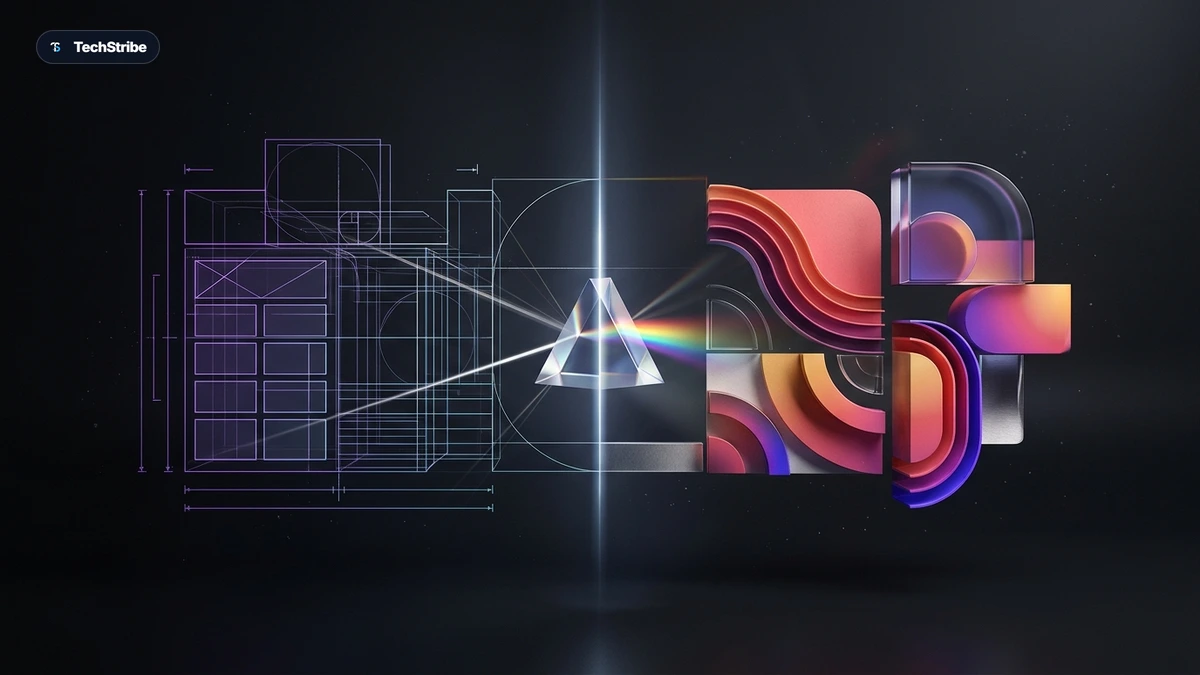
Key Takeaway: Unlike traditional image models trained purely on photographs, Canva Craft is trained on millions of graphic templates. It decouples composition planning from pixel rendering—delivering crisp lettering and editable layers designed directly for production workflows.
Most AI image tools learn from photographs. Canva taught its model from posters.
That choice explains a lot about Canva Craft, the design platform’s first in-house image generation model, released on October 22, 2026. Ask a typical image generator for a café menu and you often get lovely food paired with garbled, unreadable text. Craft was built specifically to treat layout, hierarchy, and lettering as the primary job.
This comprehensive guide covers how Craft works under the hood, what it can do, where it ranks on public benchmarks, what it still gets wrong, and how you can try it today.
Canva Craft at a Glance
| Detail | What Is Reported |
|---|---|
| Launched | October 22, 2026, by Canva Research |
| What It Is | Canva’s first image generation model, built in-house with help from Leonardo.ai researchers |
| Training Data | Millions of human-made Canva templates, such as posters, menus, presentations, and infographics |
| Output | Up to 2K resolution, with about 30 aspect ratios promoted |
| Where to Use It | Dream Lab inside Canva, and via the Canva Connect API |
| Ranking | Fourth on DesignArena at launch, behind three OpenAI models |
| Coming Next | Craft-fast and Craft-ultrafast, plus MCP support for chatbots |
How Craft Works: Plan First, Then Render
Standard text-to-image models generate pixels directly from prompt tokens in a single pass. Canva Craft splits the process into two distinct stages:
| Stage | What Happens |
|---|---|
| 1. Plan | The model reads your prompt and builds a composition plan: determining where each element goes, how large it should be, the visual hierarchy, and where text sits. |
| 2. Render | A dedicated image model converts that structural plan into a finished, polished picture at up to 2K resolution. |
Most image models struggle with spatial coherence when rendering fine detail. Splitting planning from rendering is engineered specifically to keep typography legible and visual subjects accurately positioned.
Why templates matter: Canva explains that photo-heavy training data teaches an AI model what objects look like, while design templates teach it how layout, visual hierarchy, and typography fit together harmoniously.
What Craft Can Do
| Capability | Details |
|---|---|
| Readable Text | Optimized for text-heavy graphics. Canva claims it accurately renders typography in 55 languages. |
| Layout Control | Users can explicitly specify spatial placement (e.g., headline top, subject right), and the composition plan adheres to it. |
| Wide Format Range | Roughly 30 aspect ratios are promoted to cover social, print, and display dimensions. |
| Targeted Edits | Modify individual visual components without re-rolling or disturbing the remainder of the composition. |
| Editable Layers | Through Magic Layers, generated assets can be deconstructed into editable vector and design layers within Canva. |
| Developer Access | Available via the Canva Connect API under the identifier craft_v1_2k. |
| Chatbot Access | Canva is preparing direct generation inside external assistants such as ChatGPT and Gemini through Model Context Protocol (MCP) integrations. |
For professional designers and digital creators, the editable layers capability is the critical differentiator. Rather than producing a static, flattened bitmap that requires manual masking, Craft’s integration with Canva allows users to re-color elements, adjust copy, and reposition design assets on the fly within wider autonomous AI workflows.
Where Craft Ranks
| Item | Reported Metric | Context & Caveat |
|---|---|---|
| DesignArena Rank | Fourth overall at launch, behind three OpenAI GPT-Image models | Based on community blind voting; provisional rankings evolve over time. |
| Elo Score | 1340 at launch, adjusting to 1330 on October 23 | Elo shifts dynamically as public head-to-head evaluations continue. |
| “Second Most Advanced Lab” | Canva’s internal claim | Reflects organizational lab positioning rather than an official third-party index. |
Early benchmarks indicate Craft placed ahead of contemporary image models from Google, Microsoft, Meta, xAI, and ByteDance on the DesignArena leaderboard. Powered by specialized AI hardware accelerators across inference clusters, leaderboard standing for new models typically stabilizes as broader production volumes ramp up.
Where Craft Falls Short
- Fine Print and Technical Drawings: Canva’s research documentation notes that intricate schematics and microscopic typographic print remain known weak spots.
- Invented Copy: Independent testers note that Craft occasionally introduces unsolicited text snippets—such as hallucinated operating hours or filler slogans—on marketing posters.
- No Brand Kit Integration: At launch, Dream Lab does not yet synchronize directly with saved corporate Brand Kits or proprietary color palettes.
- Restricted Initial Aspect Ratios: While Canva promoted up to 30 aspect ratios, initial public rollouts in Dream Lab and the API exposed approximately six primary aspect ratios.
- Early-Stage Iteration: As a day-one model release, consistency across extreme edge cases and future lightweight tiers (Craft-fast) will need continuous real-world validation.
Production Tip: Always proofread every rendered text element. For commercial graphics, treat initial generation as a high-fidelity draft before fine-tuning layers in the Canva editor.
Who Can Use It, and What It Costs
| Access Route | Availability Status | Implementation Notes |
|---|---|---|
| Dream Lab in Canva | Live for all users | Accessible directly in Canva via the left sidebar panel or at canva.com/dream-lab. |
| Canva Connect API | Available | Identified as craft_v1_2k for enterprise and programmatic integrations. |
| MCP for Chatbots | In Development | Planned to enable conversational image invocation directly in third-party LLMs. |
| Craft-Fast & Craft-Ultrafast | Upcoming | Optimized lower-latency, budget-friendly inference tiers currently unpriced. |
Canva has not introduced separate per-image metering for Craft. Instead, generation draws from existing account AI allowances. Depending on account tier and subscription structure, free users receive between 20 and 50 monthly AI credits, while Canva Pro and Enterprise subscribers retain elevated allowances.
Best Uses for Craft
Because Craft was trained specifically on functional graphic templates, its highest-value applications mirror the formats that Canva creators build most frequently:
| Use Case | Why Craft Excels | What to Double Check |
|---|---|---|
| Posters & Flyers | Structured spatial layouts and bold headline hierarchy are native strengths. | Watch out for invented secondary details or extraneous filler copy. |
| Restaurant Menus | Typography-heavy formatting matches its primary training distribution. | Verify exact menu pricing, item spellings, and section groupings. |
| Social Media Posts | Native framing suited to multi-platform feed dimensions. | Check aspect ratio availability during initial configuration. |
| Infographics | Information hierarchy and structured modular placement. | Avoid complex technical charts requiring microscopic precision. |
| Presentation Visuals | Generates clean slide backdrops that convert into movable layers. | Brand Kit presets must currently be applied manually after generation. |
Why Canva Built Its Own Model
- End-to-End Control: Relying on external foundational models limits customization. An in-house foundation gives Canva full governance over latency, features, and safety guardrails.
- Inference Economics: Operating dedicated models reduces long-term operational costs compared to paying third-party API licensing fees per generated image.
- Ecosystem Expansion: Offering Craft through developer APIs and MCP connects Canva’s design engine directly to external agent platforms and enterprise pipelines.
- Leonardo.ai Synergy: Canva’s 2024 acquisition of Leonardo.ai provided specialized generative modeling expertise that accelerated Craft’s production rollout.
How to Try It: Step-by-Step
| Step | Action |
|---|---|
| 1 | Open Canva and select Dream Lab from the lower-left navigation panel. |
| 2 | Choose Canva Craft as your active image generation model. |
| 3 | Describe your layout explicitly in the prompt—since Craft plans composition before rendering pixels. |
| 4 | Select your target aspect ratio based on where the graphic will be deployed. |
| 5 | Use targeted editing to adjust individual elements, or convert the output into layered Canva elements. |
Prompting Best Practices for Craft
- Specify Spatial Arrangement: Direct the composition layout explicitly (e.g., “Bold headline centered at top, minimalist illustration on left, contact block lower right”).
- Quote Exact Typography: Enclose required text in quotation marks and state explicitly that no other text should appear on the canvas.
- Verify All Rendered Words: Scan headlines and sub-text carefully to catch minor typographic hallucinations before publishing.
- Leverage Inpainting Over Full Regenerations: If 90% of the graphic is ideal, use targeted inpainting or layer editing rather than re-rolling the entire prompt.
Related Reading & Deeper Context
- Microsoft’s real-time AI video editing patent — how low-latency lip-sync and live speech rewriting work in real-time streams.
- Best AI coding tools — how leading AI coding editors and autonomous dev tools compare in practice.
Frequently Asked Questions
What is Canva Craft?
Canva Craft is Canva’s first in-house AI image generation model, unveiled on October 22, 2026. It creates a structural composition plan before rendering high-fidelity graphics up to 2K resolution.
How is Canva Craft different from other AI image generators?
Unlike mainstream models trained predominantly on photography, Craft was trained on millions of design templates. Its two-stage planning and rendering architecture delivers far superior layout hierarchy and legible typography.
Is Canva Craft free to use?
Craft is accessible via Dream Lab to all Canva users. Generation consumes an account’s standard monthly AI credit pool, which ranges from 20 to 50 credits on free accounts with higher allocations for Pro subscribers.
Where do I find Canva Craft inside the application?
Select Dream Lab from the left toolbar inside any Canva project or visit canva.com/dream-lab directly, then select Canva Craft from the model dropdown.
How does Canva Craft rank against OpenAI’s GPT-Image?
On public DesignArena blind testing, Craft debuted in fourth place overall behind three OpenAI GPT-Image models, ranking ahead of models from Google, Meta, and ByteDance.
Can I edit individual layers generated by Canva Craft?
Yes. Using Canva’s Magic Layers feature, flattened generated imagery can be unpacked into editable, isolated graphic layers that can be moved, recolored, or replaced.
Is there a Canva Craft developer API?
Yes. The Canva Connect API exposes the model under the name craft_v1_2k, with ongoing development for Model Context Protocol (MCP) integrations in conversational assistants.